Buy live-casino.eu ?
We are moving the project
live-casino.eu .
Are you interested in purchasing the domain
live-casino.eu ?
domain@kv-gmbh.de · 0541-91531010
Buy live-casino.eu ?
Does the Casio GTR FX CG 20 have a Casio?
Yes, the Casio GTR FX CG 20 is a model of calculator manufactured by Casio. It is a graphing calculator that is designed for use in mathematics and science education. The Casio GTR FX CG 20 is equipped with a high-resolution color display and a wide range of functions to support various mathematical calculations and graphing tasks. **
Is the Casio waterproof?
Yes, some Casio watches are waterproof. Casio offers a range of water-resistant watches designed for various levels of water exposure, from light splashes to swimming and diving. It is important to check the specific model's water resistance rating to ensure it meets your needs for water activities. Always follow the manufacturer's guidelines for water exposure to prevent damage to the watch. **

Similar search terms for Casio
Top-Angebote
Products related to Casio:
-
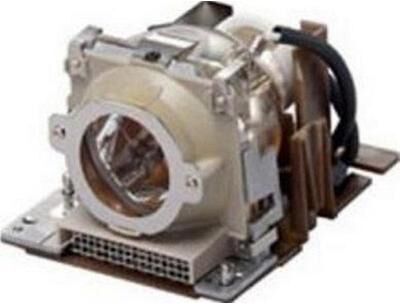
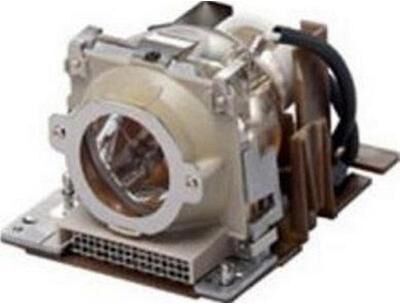
Jaspertronics™ Original 10294007 Lamp & Housing for Casio Projectors - 1 Year WarrantyNew Jaspertronics™ Original Lamp & Housing Module for the following Casio models: 10294007 Lamp Specifications Specifications Data Product Code 10294007 Part Type Lamp and Housing Warranty Industry Leading 1 Year Warranty Condition New Lamp Type...170,99 $*Shipping: 0,00 $Secure redirect to the provider
-
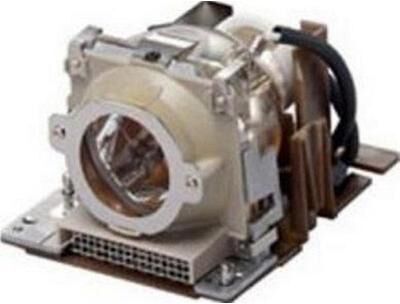
AL™ Series 10185460 Lamp & Housing for Casio Projectors - 90 Day WarrantyNew aftermarket Lamp and Housing for the following Casio models: 10185460 Lamp Specifications Specifications Data Product Code 10185460 Part Type Lamp and Housing Warranty 90 Days Condition New Lamp Type Genuine AL™ Series Discounts Available...189,99 $*Shipping: 0,00 $Secure redirect to the provider
-
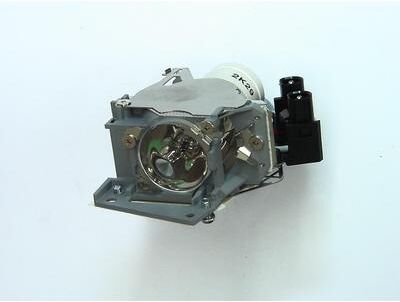
Jaspertronics™ Original YL-42 Lamp & Housing for Casio Projectors - 1 Year WarrantyNew Jaspertronics™ Original Lamp & Housing Module for the following Casio models: YL-42 Lamp Specifications Specifications Data Product Code YL-42 Part Type Lamp and Housing Warranty Industry Leading 1 Year Warranty Condition New Lamp Type 210W OEM...170,99 $*Shipping: 0,00 $Secure redirect to the provider
-
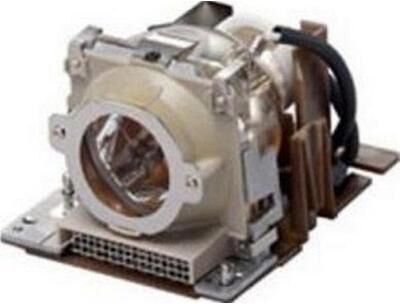
Jaspertronics™ Original YL-31 Lamp & Housing for Casio Projectors - 1 Year WarrantyNew Jaspertronics™ Original Lamp & Housing Module for the following Casio models: YL-31 Lamp Specifications Specifications Data Product Code YL-31 Part Type Lamp and Housing Warranty Industry Leading 1 Year Warranty Condition New Lamp Type Phoenix...234,99 $*Shipping: 0,00 $Secure redirect to the provider

-
How do you set the time on a Casio watch?
To set the time on a Casio watch, you typically need to press and hold the "Adjust" button until the seconds start blinking. Use the "Mode" button to move between hours, minutes, and other settings, and the "Start/Stop" button to adjust the time. Once you have set the correct time, press the "Adjust" button again to save the changes. Refer to the specific model's user manual for detailed instructions on setting the time. **
-
How do you set the time on the Casio watch?
To set the time on a Casio watch, first, press the "adjust" button until the seconds start flashing. Then, press the "mode" button to select the item you want to adjust (hours, minutes, etc.). Use the "receive" button to change the value of the selected item. Once you have set the time, press the "adjust" button again to save the changes. Finally, press the "mode" button to exit the setting mode. **
-
How do I set the time on a Casio watch?
To set the time on a Casio watch, first, locate the "mode" button on the watch and press it until the time display starts blinking. Then, use the "adjust" button to change the hours, minutes, and seconds. Once you have set the correct time, press the "mode" button again to save the changes and exit the setting mode. If your watch has additional features like date or alarm settings, you can use the same process to adjust those as well. If you have the specific model number of your Casio watch, you can also refer to the user manual for detailed instructions. **
-
How does the Casio fit?
The Casio fits comfortably on the wrist due to its adjustable strap and lightweight design. The watch is designed to be sleek and low-profile, making it easy to wear throughout the day without feeling bulky or cumbersome. The Casio's size and shape also make it suitable for both men and women, providing a versatile fit for a wide range of wrist sizes. Overall, the Casio is designed to fit comfortably and stylishly on the wrist for everyday wear. **

How can one make a presentation engaging and interactive?
One can make a presentation engaging and interactive by incorporating multimedia elements such as videos, images, and interactive graphics to break up the monotony of slides. Additionally, incorporating audience participation through polls, Q&A sessions, and group activities can help keep the audience engaged and involved. Using storytelling and real-life examples can also make the presentation more relatable and interesting for the audience. Finally, incorporating humor and personal anecdotes can help to create a more engaging and interactive atmosphere. **
How can you switch a Casio watch to 24-hour time?
To switch a Casio watch to 24-hour time, you will need to locate the watch's mode button and press it until you reach the timekeeping mode. Once in the timekeeping mode, press and hold the adjust button until the time display starts to flash. Then, use the forward or backward buttons to switch the time format from 12-hour to 24-hour. Once you have selected the 24-hour format, press the adjust button again to save the setting and exit the mode. **
Top-Angebote
Products related to Casio:
-
Jaspertronics™ Original 10185460 Lamp & Housing for Casio Projectors - 1 Year WarrantyNew Jaspertronics™ Original Lamp & Housing Module for the following Casio models: 10185460 Lamp Specifications Specifications Data Product Code 10185460 Part Type Lamp and Housing Warranty Industry Leading 1 Year Warranty Condition New Lamp Type...234,99 $*Shipping: 0,00 $Secure redirect to the provider
-
Jaspertronics™ Original 10294006 Lamp & Housing for Casio Projectors - 1 Year WarrantyNew Jaspertronics™ Original Lamp & Housing Module for the following Casio models: 10294006 Lamp Specifications Specifications Data Product Code 10294006 Part Type Lamp and Housing Warranty Industry Leading 1 Year Warranty Condition New Lamp Type...170,99 $*Shipping: 0,00 $Secure redirect to the provider
-
Jaspertronics™ Original 10294007 Lamp & Housing for Casio Projectors - 1 Year WarrantyNew Jaspertronics™ Original Lamp & Housing Module for the following Casio models: 10294007 Lamp Specifications Specifications Data Product Code 10294007 Part Type Lamp and Housing Warranty Industry Leading 1 Year Warranty Condition New Lamp Type...170,99 $*Shipping: 0,00 $Secure redirect to the provider
-
AL™ Series 10185460 Lamp & Housing for Casio Projectors - 90 Day WarrantyNew aftermarket Lamp and Housing for the following Casio models: 10185460 Lamp Specifications Specifications Data Product Code 10185460 Part Type Lamp and Housing Warranty 90 Days Condition New Lamp Type Genuine AL™ Series Discounts Available...189,99 $*Shipping: 0,00 $Secure redirect to the provider
-
Does the Casio GTR FX CG 20 have a Casio?
Yes, the Casio GTR FX CG 20 is a model of calculator manufactured by Casio. It is a graphing calculator that is designed for use in mathematics and science education. The Casio GTR FX CG 20 is equipped with a high-resolution color display and a wide range of functions to support various mathematical calculations and graphing tasks. **
-
Is the Casio waterproof?
Yes, some Casio watches are waterproof. Casio offers a range of water-resistant watches designed for various levels of water exposure, from light splashes to swimming and diving. It is important to check the specific model's water resistance rating to ensure it meets your needs for water activities. Always follow the manufacturer's guidelines for water exposure to prevent damage to the watch. **
-
How do you set the time on a Casio watch?
To set the time on a Casio watch, you typically need to press and hold the "Adjust" button until the seconds start blinking. Use the "Mode" button to move between hours, minutes, and other settings, and the "Start/Stop" button to adjust the time. Once you have set the correct time, press the "Adjust" button again to save the changes. Refer to the specific model's user manual for detailed instructions on setting the time. **
-
How do you set the time on the Casio watch?
To set the time on a Casio watch, first, press the "adjust" button until the seconds start flashing. Then, press the "mode" button to select the item you want to adjust (hours, minutes, etc.). Use the "receive" button to change the value of the selected item. Once you have set the time, press the "adjust" button again to save the changes. Finally, press the "mode" button to exit the setting mode. **
Similar search terms for Casio
-
Jaspertronics™ Original YL-42 Lamp & Housing for Casio Projectors - 1 Year WarrantyNew Jaspertronics™ Original Lamp & Housing Module for the following Casio models: YL-42 Lamp Specifications Specifications Data Product Code YL-42 Part Type Lamp and Housing Warranty Industry Leading 1 Year Warranty Condition New Lamp Type 210W OEM...170,99 $*Shipping: 0,00 $Secure redirect to the provider
-
Jaspertronics™ Original YL-31 Lamp & Housing for Casio Projectors - 1 Year WarrantyNew Jaspertronics™ Original Lamp & Housing Module for the following Casio models: YL-31 Lamp Specifications Specifications Data Product Code YL-31 Part Type Lamp and Housing Warranty Industry Leading 1 Year Warranty Condition New Lamp Type Phoenix...234,99 $*Shipping: 0,00 $Secure redirect to the provider
-
AL™ Series YL-31 Lamp & Housing for Casio Projectors - 90 Day WarrantyNew aftermarket Lamp and Housing for the following Casio models: YL-31 Lamp Specifications Specifications Data Product Code YL-31 Part Type Lamp and Housing Warranty 90 Days Condition New Lamp Type Genuine AL™ Series Discounts Available Volume,...189,99 $*Shipping: 0,00 $Secure redirect to the provider
-
Jaspertronics™ Original YL-43 Lamp & Housing for Casio Projectors - 1 Year WarrantyNew Jaspertronics™ Original Lamp & Housing Module for the following Casio models: YL-43 Lamp Specifications Specifications Data Product Code YL-43 Part Type Lamp and Housing Warranty Industry Leading 1 Year Warranty Condition New Lamp Type 210W OEM...170,99 $*Shipping: 0,00 $Secure redirect to the provider
-
How do I set the time on a Casio watch?
To set the time on a Casio watch, first, locate the "mode" button on the watch and press it until the time display starts blinking. Then, use the "adjust" button to change the hours, minutes, and seconds. Once you have set the correct time, press the "mode" button again to save the changes and exit the setting mode. If your watch has additional features like date or alarm settings, you can use the same process to adjust those as well. If you have the specific model number of your Casio watch, you can also refer to the user manual for detailed instructions. **
-
How does the Casio fit?
The Casio fits comfortably on the wrist due to its adjustable strap and lightweight design. The watch is designed to be sleek and low-profile, making it easy to wear throughout the day without feeling bulky or cumbersome. The Casio's size and shape also make it suitable for both men and women, providing a versatile fit for a wide range of wrist sizes. Overall, the Casio is designed to fit comfortably and stylishly on the wrist for everyday wear. **
-
How can one make a presentation engaging and interactive?
One can make a presentation engaging and interactive by incorporating multimedia elements such as videos, images, and interactive graphics to break up the monotony of slides. Additionally, incorporating audience participation through polls, Q&A sessions, and group activities can help keep the audience engaged and involved. Using storytelling and real-life examples can also make the presentation more relatable and interesting for the audience. Finally, incorporating humor and personal anecdotes can help to create a more engaging and interactive atmosphere. **
-
How can you switch a Casio watch to 24-hour time?
To switch a Casio watch to 24-hour time, you will need to locate the watch's mode button and press it until you reach the timekeeping mode. Once in the timekeeping mode, press and hold the adjust button until the time display starts to flash. Then, use the forward or backward buttons to switch the time format from 12-hour to 24-hour. Once you have selected the 24-hour format, press the adjust button again to save the setting and exit the mode. **
* All prices are inclusive of VAT and, if applicable, plus shipping costs. The offer information is based on the details provided by the respective shop and is updated through automated processes. Real-time updates do not occur, so deviations can occur in individual cases. ** Note: Parts of this content were created by AI.